Step 1 of 15 · Estimating
Find the work and price it
Construction estimating software has to hold two things at once, the work you’re chasing and the price you put on it, so Estimark starts with a tender register and an estimate built from your own rates. You log the enquiry with the client, the site, the value and the date it has to be back. Then you price it line by line, keeping materials, labour, plant and subcontract in separate categories. The figure the client accepts is kept as the job budget, so estimating and delivery are one record instead of two.
- 01
Where do tenders you haven’t returned actually live?
In a register, rather than in somebody’s inbox. Each tender carries the client, the site, the value, the date it has to be returned and the person who owns it. You record the outcome against it when you hear, so next year you can see what you bid for, what you won and what you walked away from. Anything finished archives out of the list without being deleted.
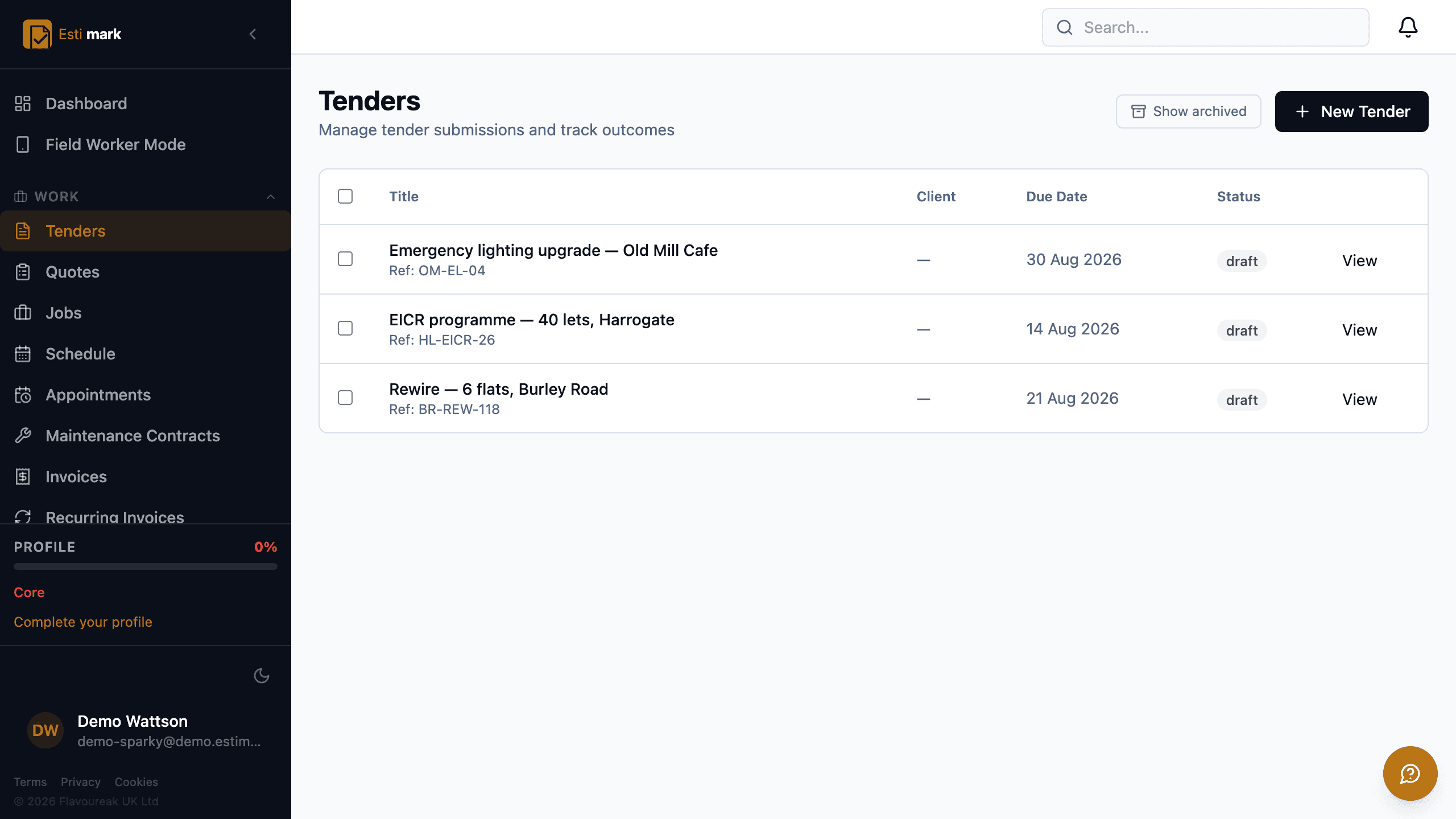
The tender register for an electrical contractor, listing an emergency lighting upgrade, an EICR programme across 40 lets and a rewire, each with its own reference, return date and status, and a filter for archived ones. - 02
Where do the prices in an estimate come from?
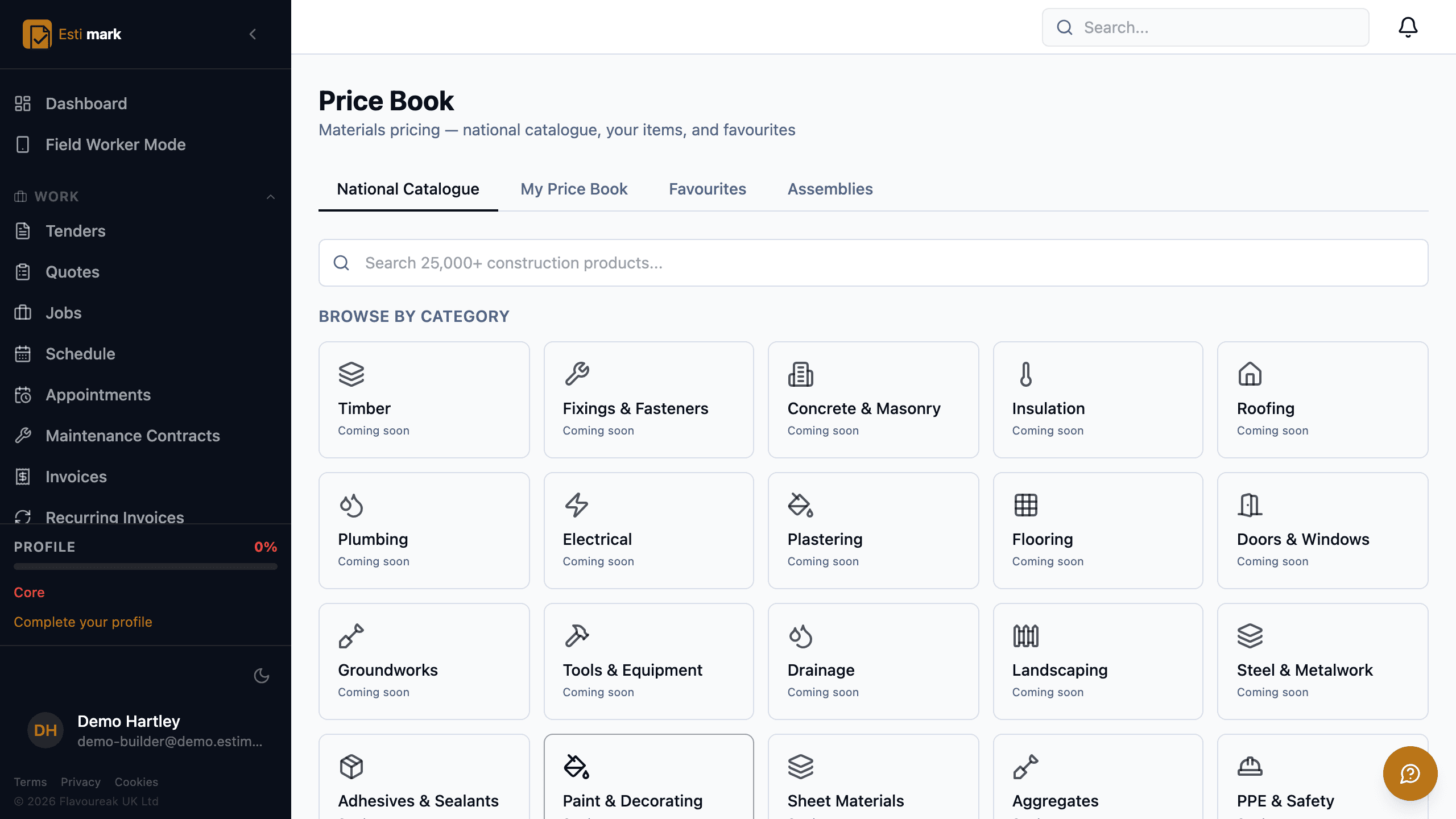
Your price book, which holds four things. A national materials catalogue of more than 25,000 construction products, searched by product name. Your own items, on their own tab, priced the way you buy them. A favourites list for the twenty or so lines that turn up on every job. And assemblies, for the groups you price as one thing rather than as eleven. Every line keeps net, the VAT rate and the VAT amount apart from the beginning, so the quote can become a valid VAT invoice later without anyone rebuilding it.
- 03
Can you price repairs against a schedule of rates?
Yes, on the Schedule of Rates bolt-on. You create a rate set and import your SOR codes from a CSV of code, description, unit, rate, SMV minutes and trade. A measured repair then picks a code, and the rate is snapshotted onto the line at the point you measure it. A rate set that gets superseded next April can’t reprice an order you already issued. Client uplift percentages sit on the rate set rather than being typed onto each job.
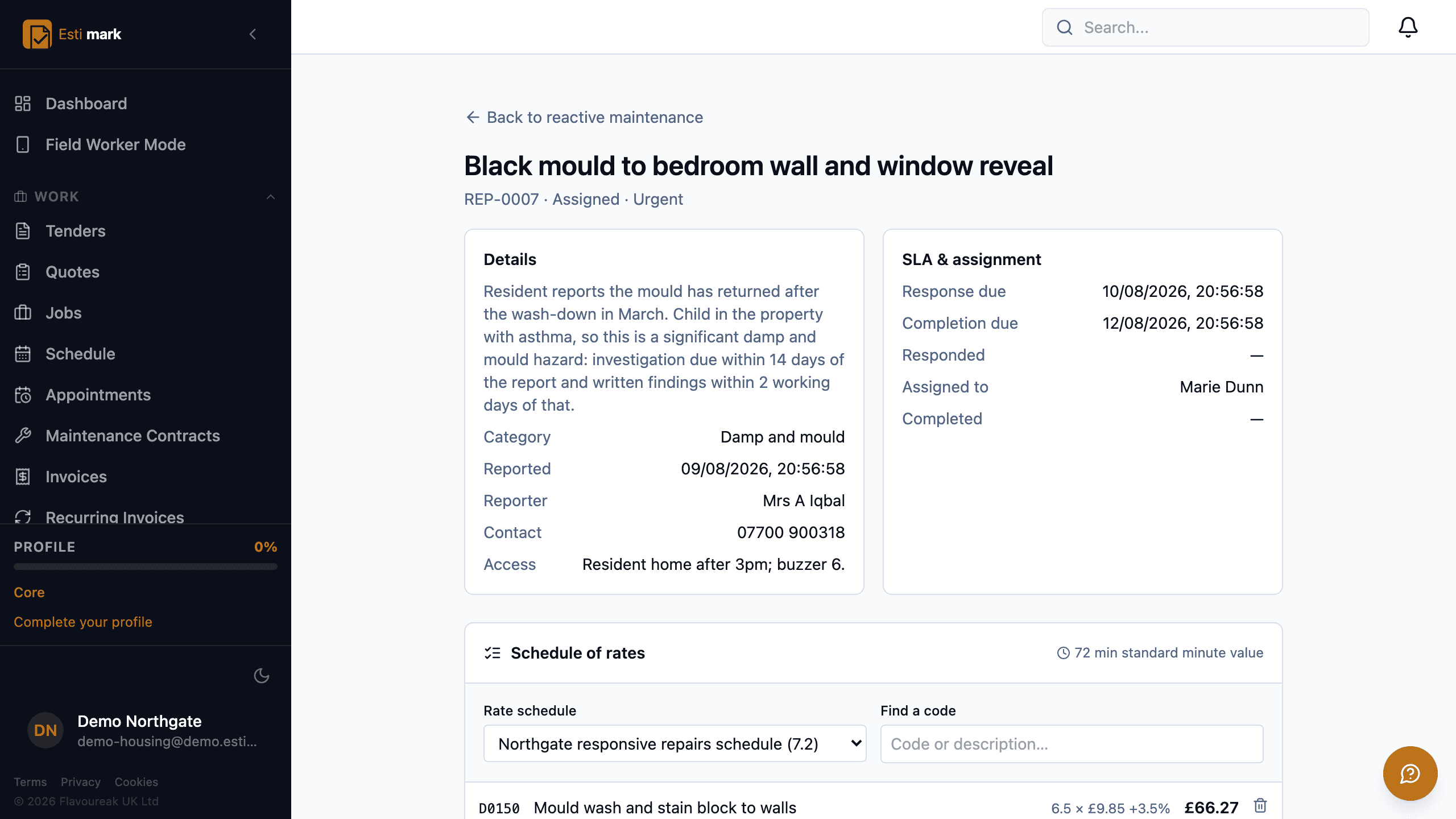
A damp and mould repair priced off a schedule of rates. The resident’s report, the category and the access note sit on one side, the response and completion clocks and the operative it is assigned to on the other, and below them a coded rate picked from the live rate schedule, showing the quantity, the rate and the client uplift on the line. - 04
How do two estimators price the same job the same way?
Labour rates per trade, overhead recovery and margin belong to the company rather than to whoever happens to be pricing. They’re applied the same way each time, so two estimators land in the same place and you can tell afterwards which assumption was wrong. Change a rate and old estimates keep the rate they were built on.
- Price book
- National catalogue, your items, favourites, assemblies
- Cost split
- Materials, labour, plant and subcontract kept apart
- Handover
- The accepted figure is kept as the job budget
What this step does not do
- Searching the national materials catalogue works today. Browsing it by category is still being filled in, category by category.
- Schedule of Rates is a bolt-on for repairs contracts rather than part of a plan, because a rate set is sized to the contract it prices. Its module page carries the pricing.
Questions
Estimating, frequently asked
Do I have to re-type the estimate to make a quote?
No. The estimate becomes the quote, and the accepted quote becomes the job with its budget attached. One record moves through three stages instead of being copied into three places.
Can I use my own rates rather than a national catalogue?
Yes. Your own items sit on their own tab in the price book, with favourites for the lines you use constantly and assemblies for groups you price as a single line.
Construction quoting software should get you an answer, so an Estimark quote is a branded PDF the client opens from a link, reads, and accepts and signs online without creating an account.
Build on a solid foundation.
Run the whole business without an implementation project and without legacy baggage. Every plan starts with 14 days free.
Estimating · Jobs · Invoicing · CIS · H&S · Reactive maintenance