Platform tour
The whole job, one step at a time.
15 steps, following a job the way it moves through a contracting business rather than the way our menus are arranged. Find the work, price it, win it, plan it, let the trades out, run the site and the board on the cabin wall, keep the safety paperwork straight, hand over and close the snags, get paid, settle up with HMRC, then see where the money went and what your client saw along the way. The last step is the housing layer, for anyone holding a repairs contract. Every step shows the real screen and says plainly what Estimark does not do.
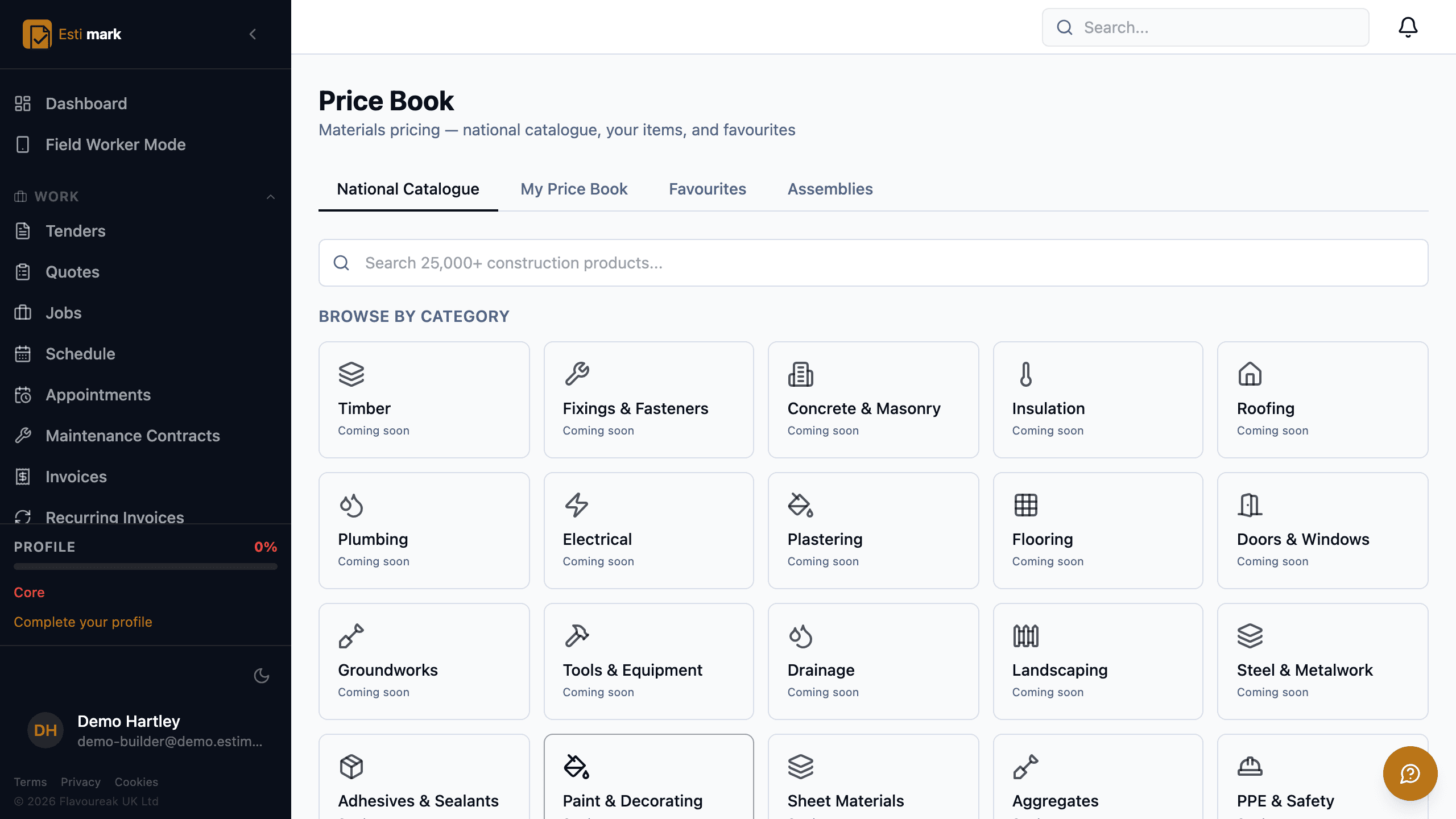
- 01EstimatingFind the work and price itConstruction estimating software has to hold two things at once, the work you’re chasing and the price you put on it, so Estimark starts with a tender register and an estimate built from your own rates.Read step →
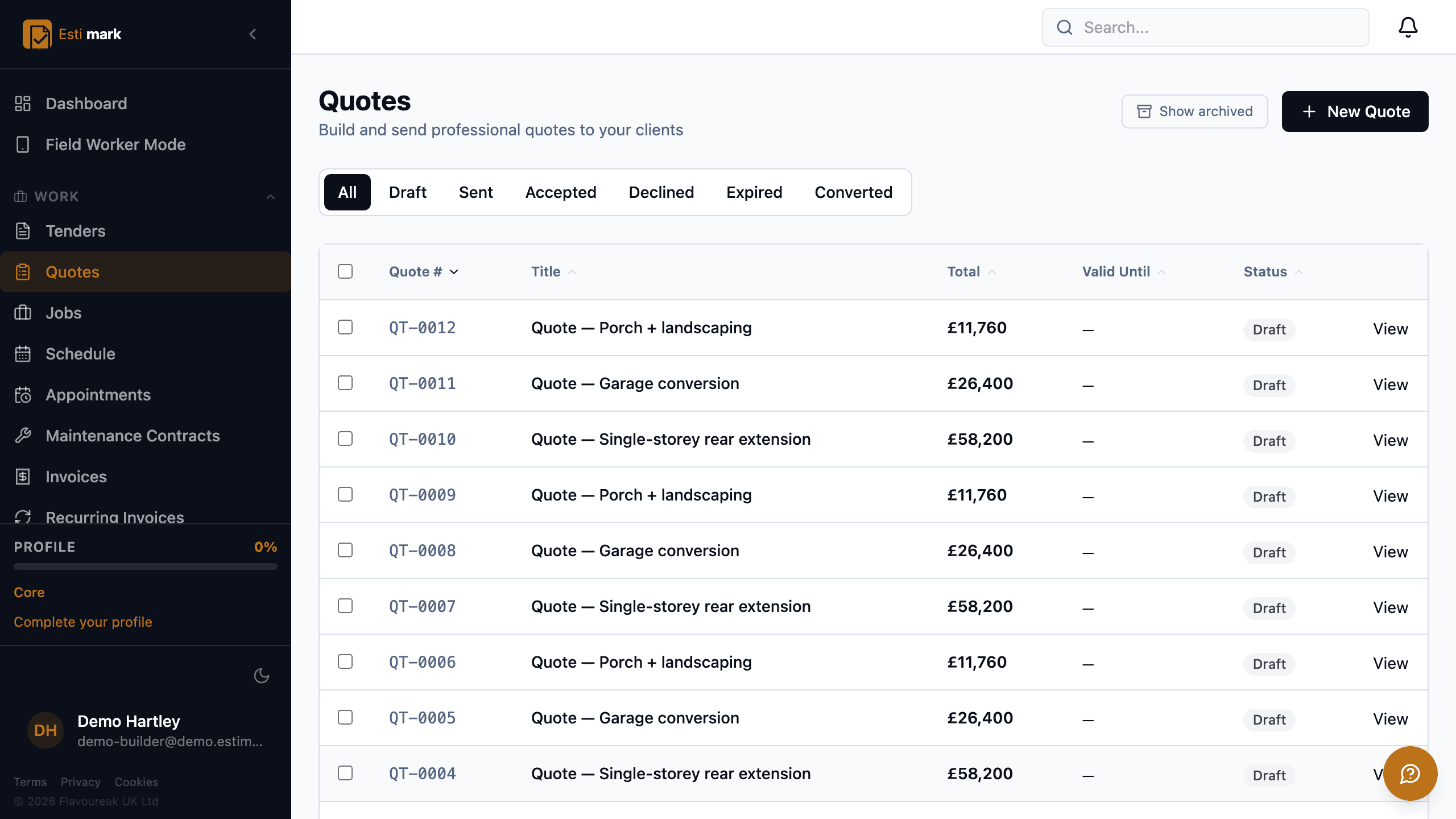
- 02QuotingWin the workConstruction quoting software should get you an answer, so an Estimark quote is a branded PDF the client opens from a link, reads, and accepts and signs online without creating an account.Read step →
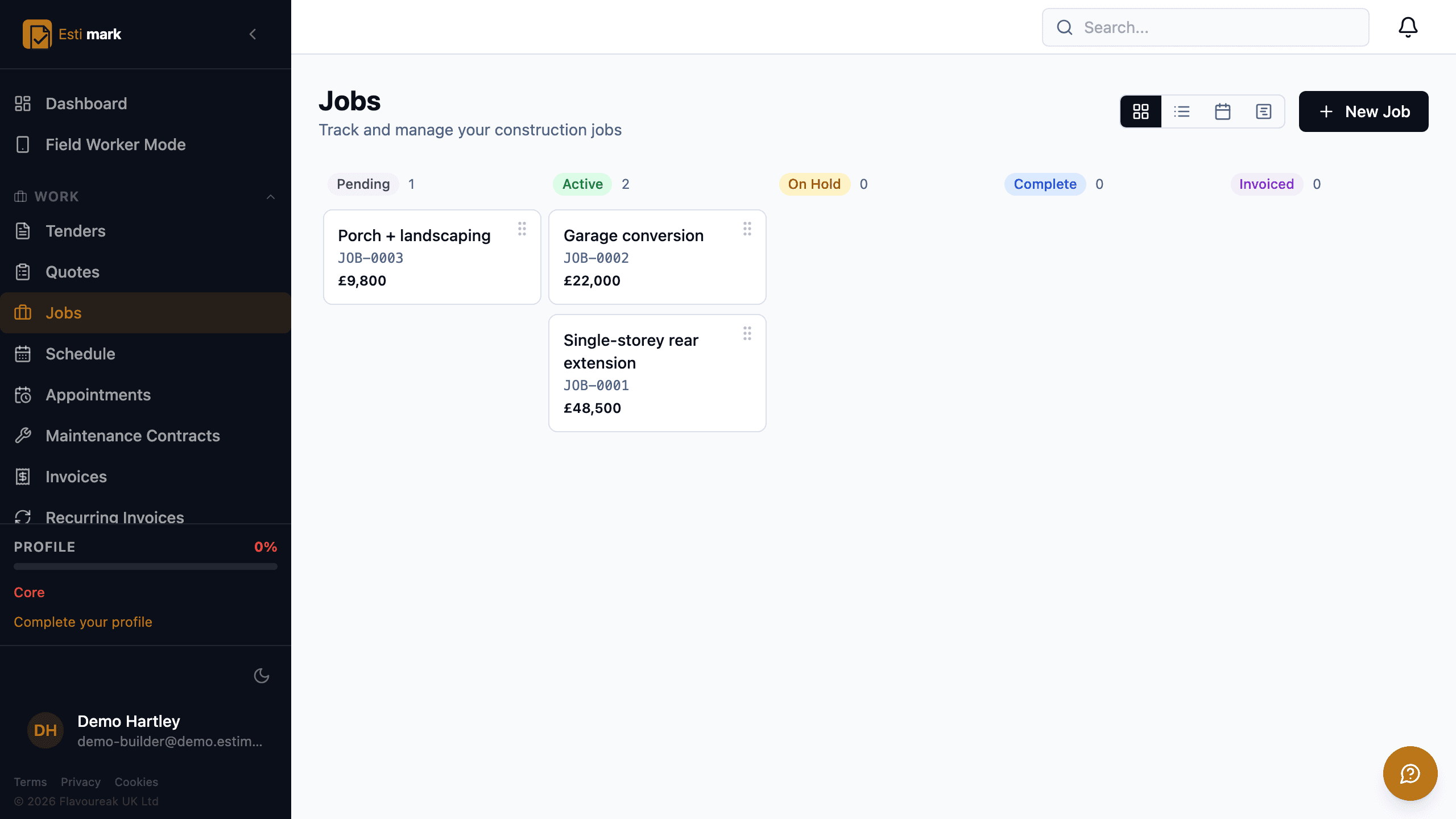
- 03DeliveryRun the jobJob management software for builders earns its keep on one screen, the board that answers "what is happening this week" without a phone call.Read step →
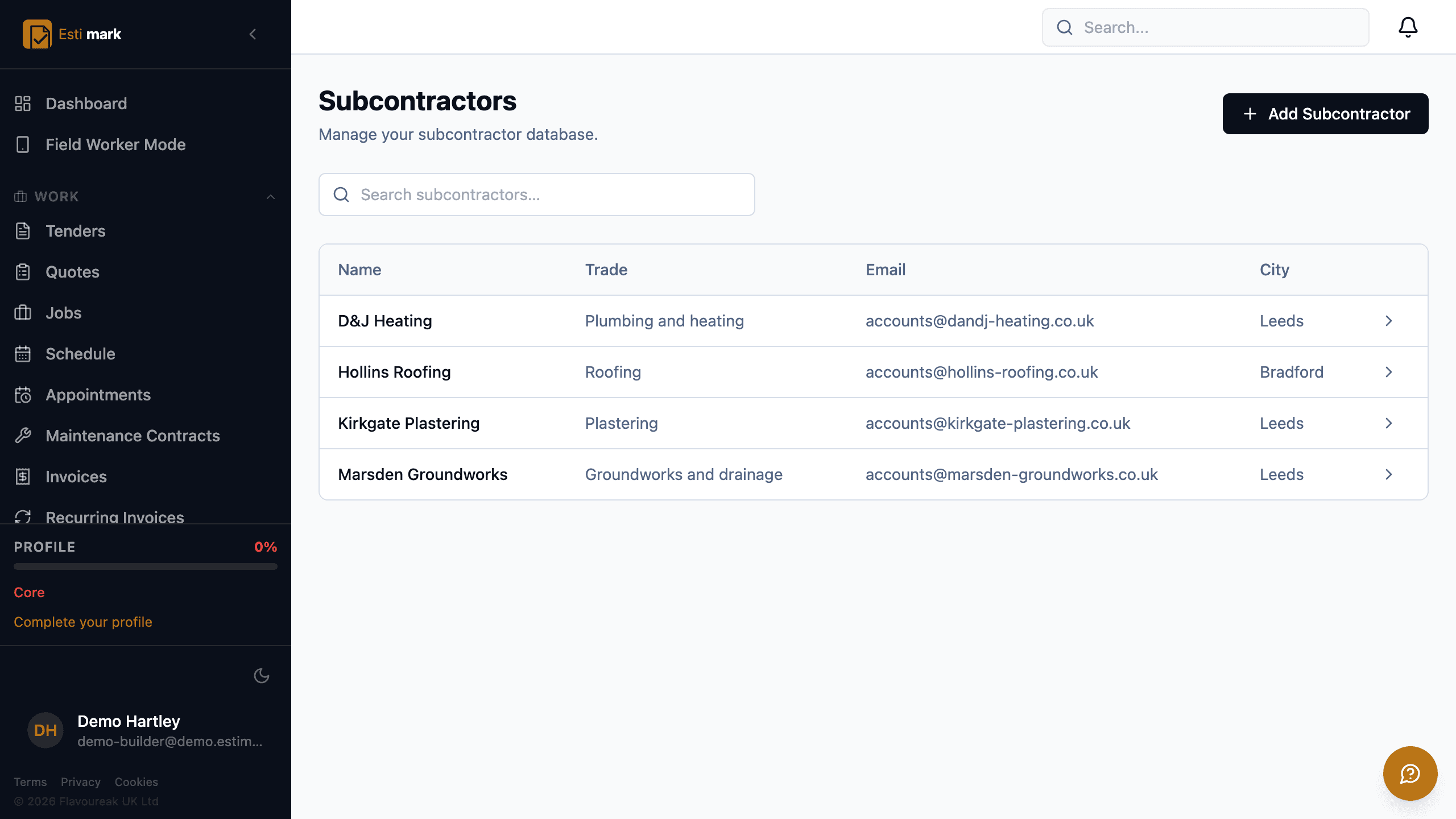
- 04Supply chainLet the work out and pay for itSubcontractor management software has to answer two questions off the same record, who is allowed on site and what they quoted, so Estimark keeps an approved list of trades beside a numbered enquiry.Read step →
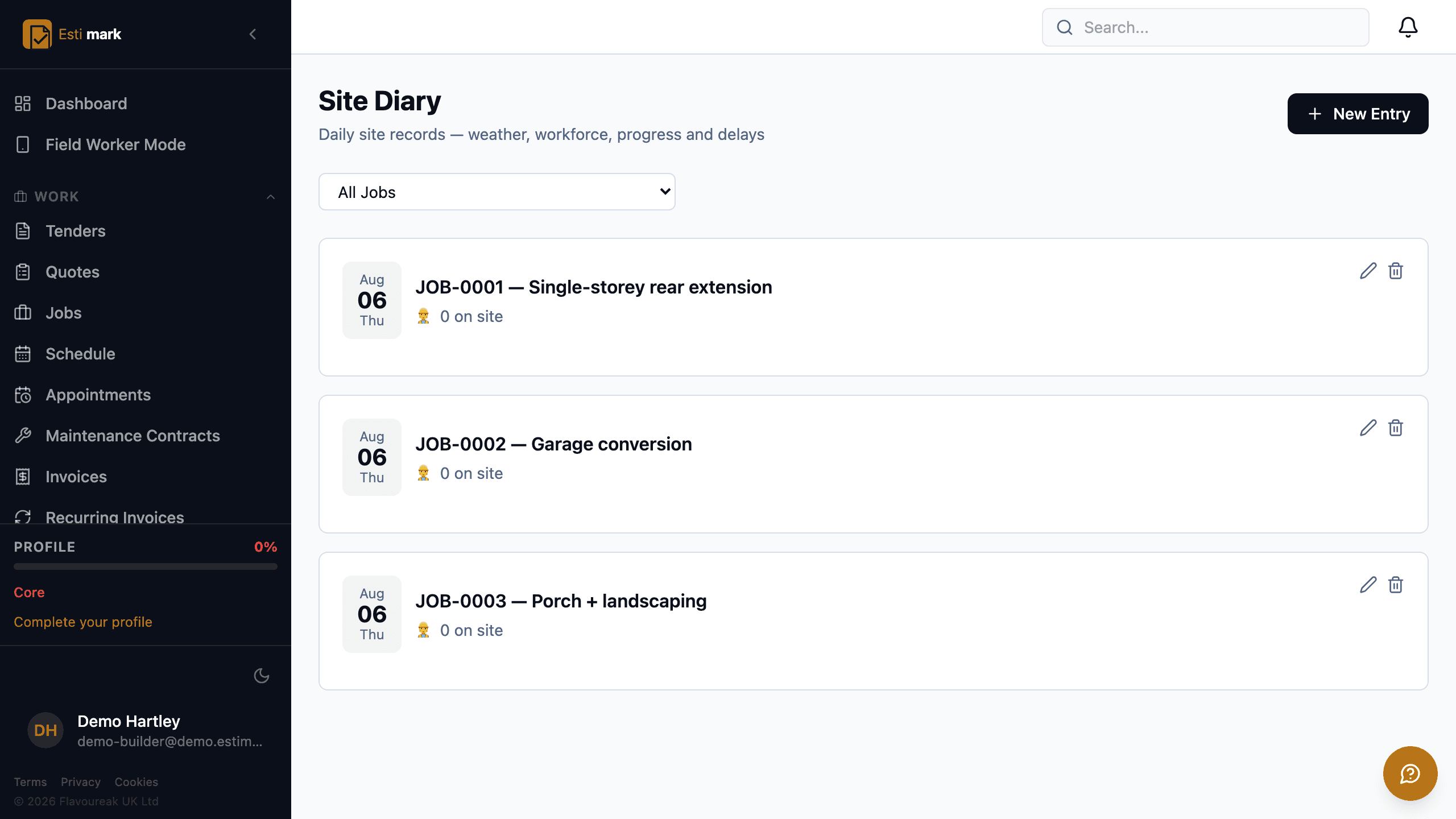
- 05On siteCapture what happens on siteA site diary is the dated record of what happened on a job each day, and Estimark keeps one per job covering the workforce on site, the weather, progress, deliveries, instructions received and delays.Read step →
- 06iPhone appRun the day from an iPhoneA construction app for the iPhone earns its place by working in a plant room, so Estimark for iPhone is written in Swift rather than being this website in a wrapper, and it keeps its own database on the handset.Read step →
- 07Sign offApprove and sign from the phoneApproving site work from a phone usually means opening a job, then another job, then a third to find out whether anything is sitting on you, so the iPhone app has one list called Waiting on you that holds every decision across every site.Read step →
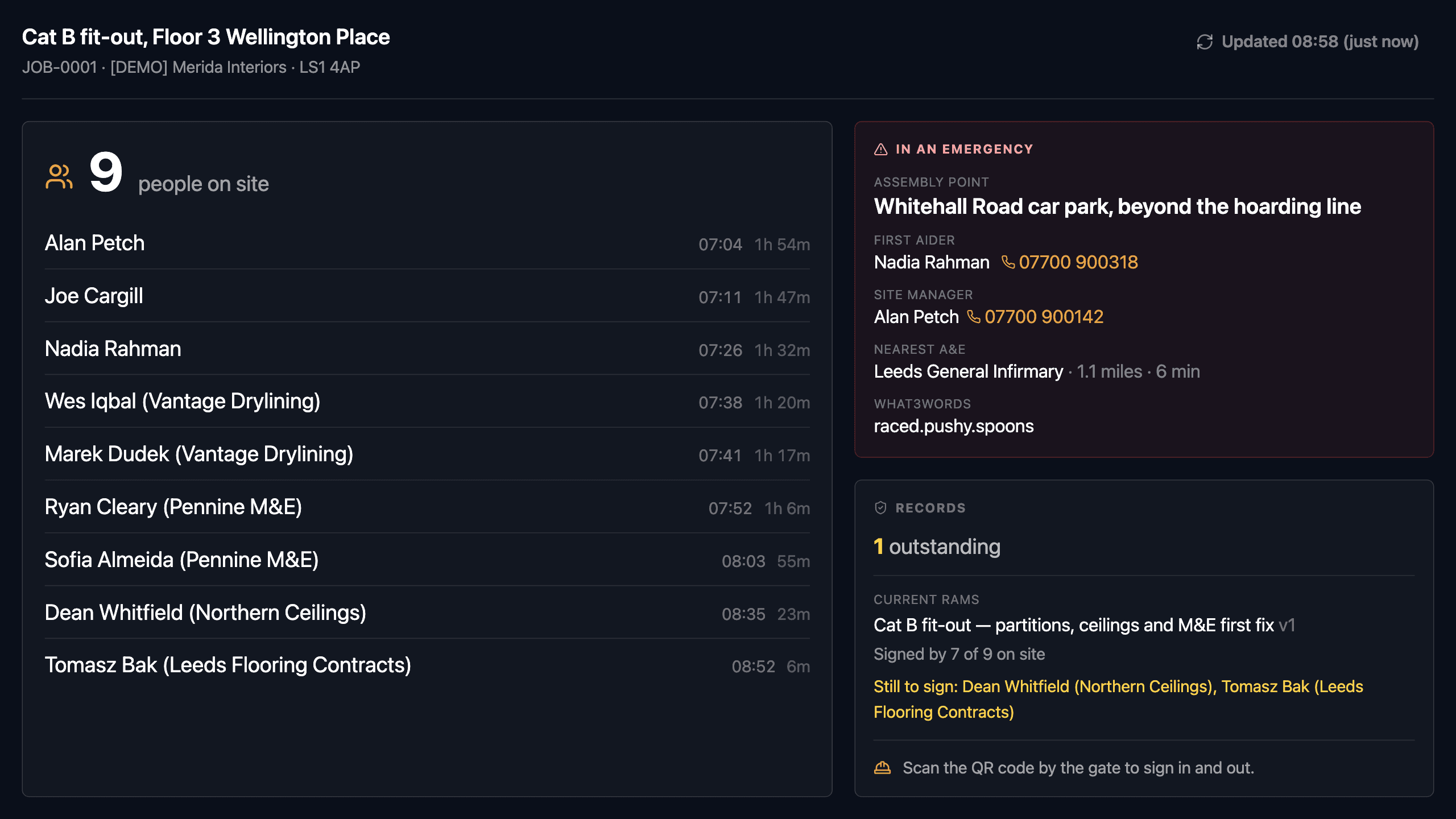
- 08Site HubPut the board on the cabin wallA site attendance board answers the one question a site cabin needs answered, which is who is on this site right now, and the Site Hub puts that answer on a tablet mounted on the wall.Read step →
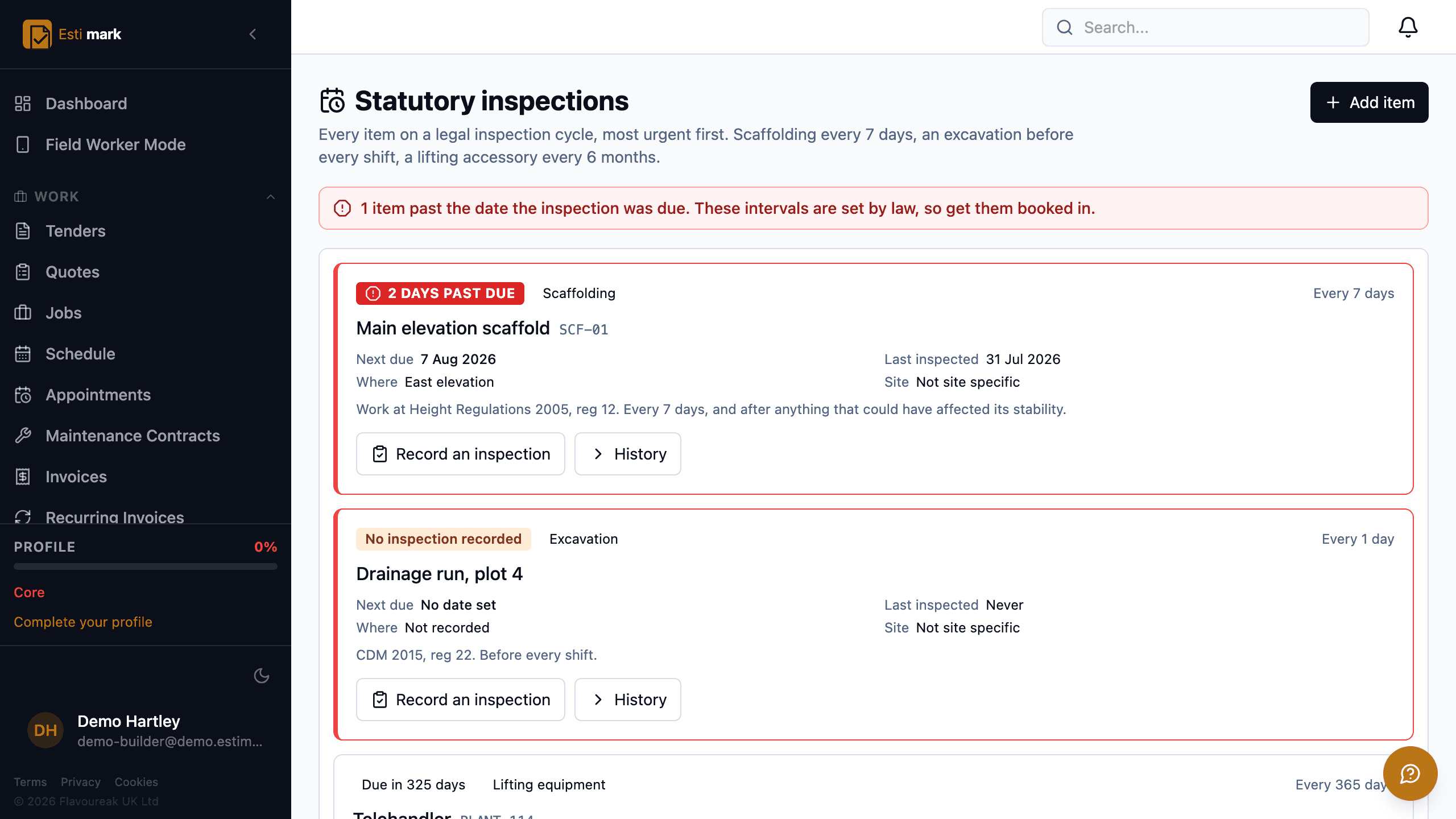
- 09SafetyRecord the safety paperworkRAMS, inspections and the actions that come out of them are recorded as they happen, and Estimark holds the record rather than the verdict.Read step →
- 10HandoverClose the job outSnagging and handover software keeps the end of a job in one place, so Estimark holds the snags, the completion certificate, the handover pack and the defects liability period against the same job.Read step →
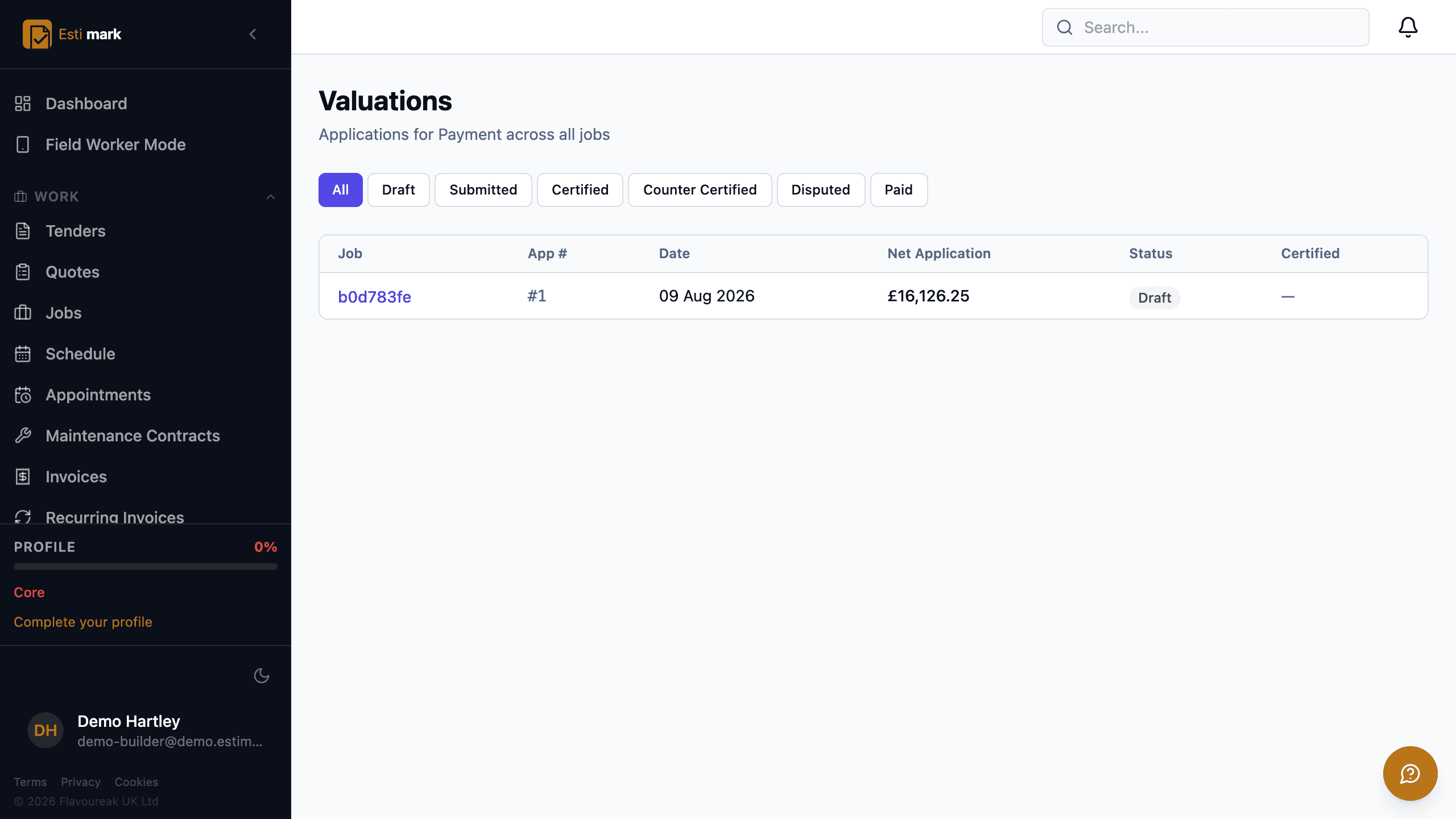
- 11MoneyGet paidAn application for payment is an interim claim for the value of work done to date, and Estimark builds one from the cumulative gross valuation, less what has already been certified, less retention.Read step →
- 12HMRCSettle up with HMRCCIS deductions come off the labour element of a subcontractor’s payment and nothing else, so Estimark takes materials, VAT, plant the subcontractor hired in and the CITB levy out of the base before it deducts anything.Read step →
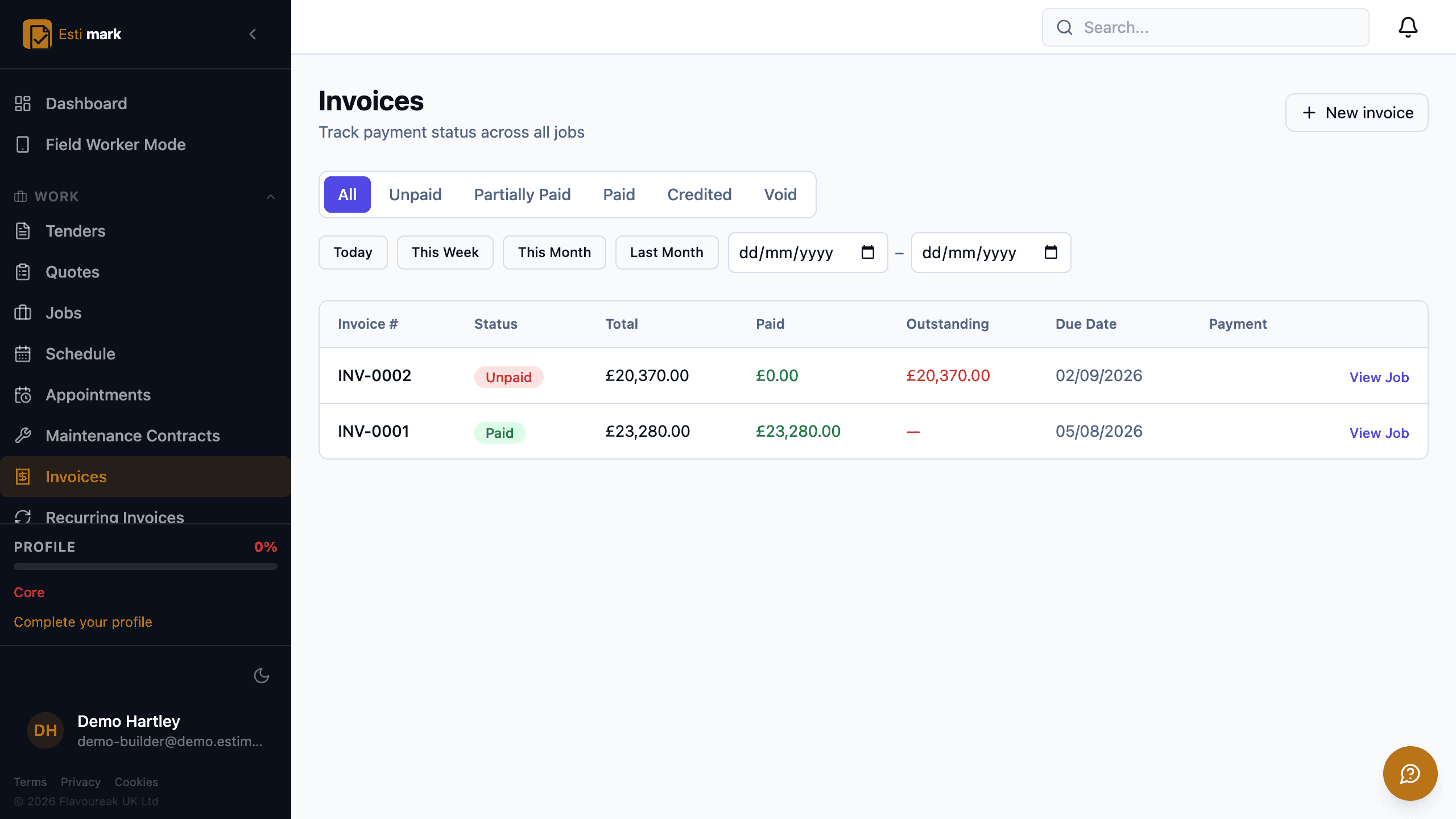
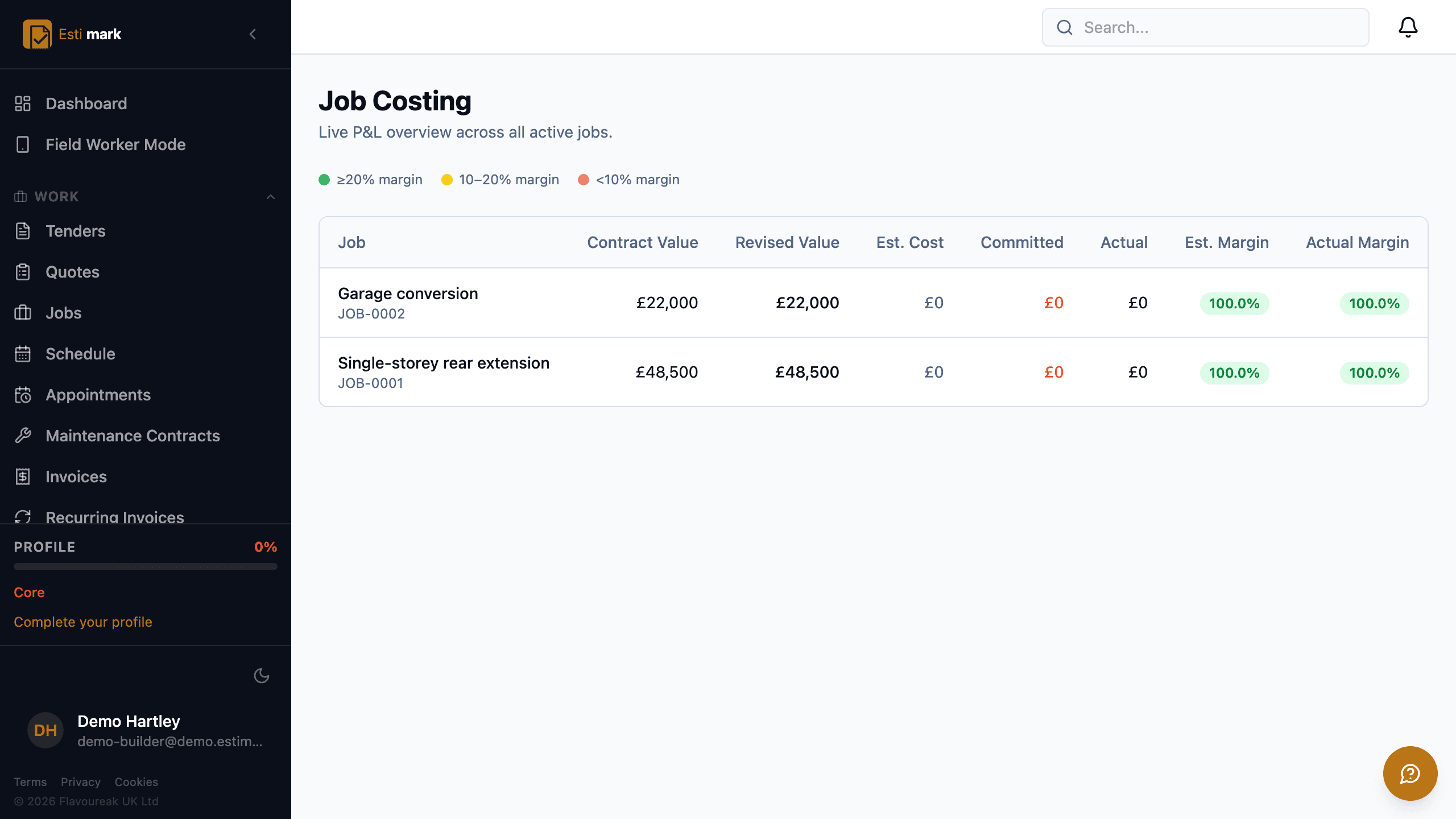
- 13ControlSee where the money wentJob costing software answers one question, and Estimark puts the answer on a single row per job: contract value, revised value, estimated cost, committed, actual, estimated margin and actual margin.Read step →
- 14ClientsShow the client and the resident where things standClient portal software works best when nobody has to create an account, so everything Estimark puts in front of a client or a resident opens from a link.Read step →
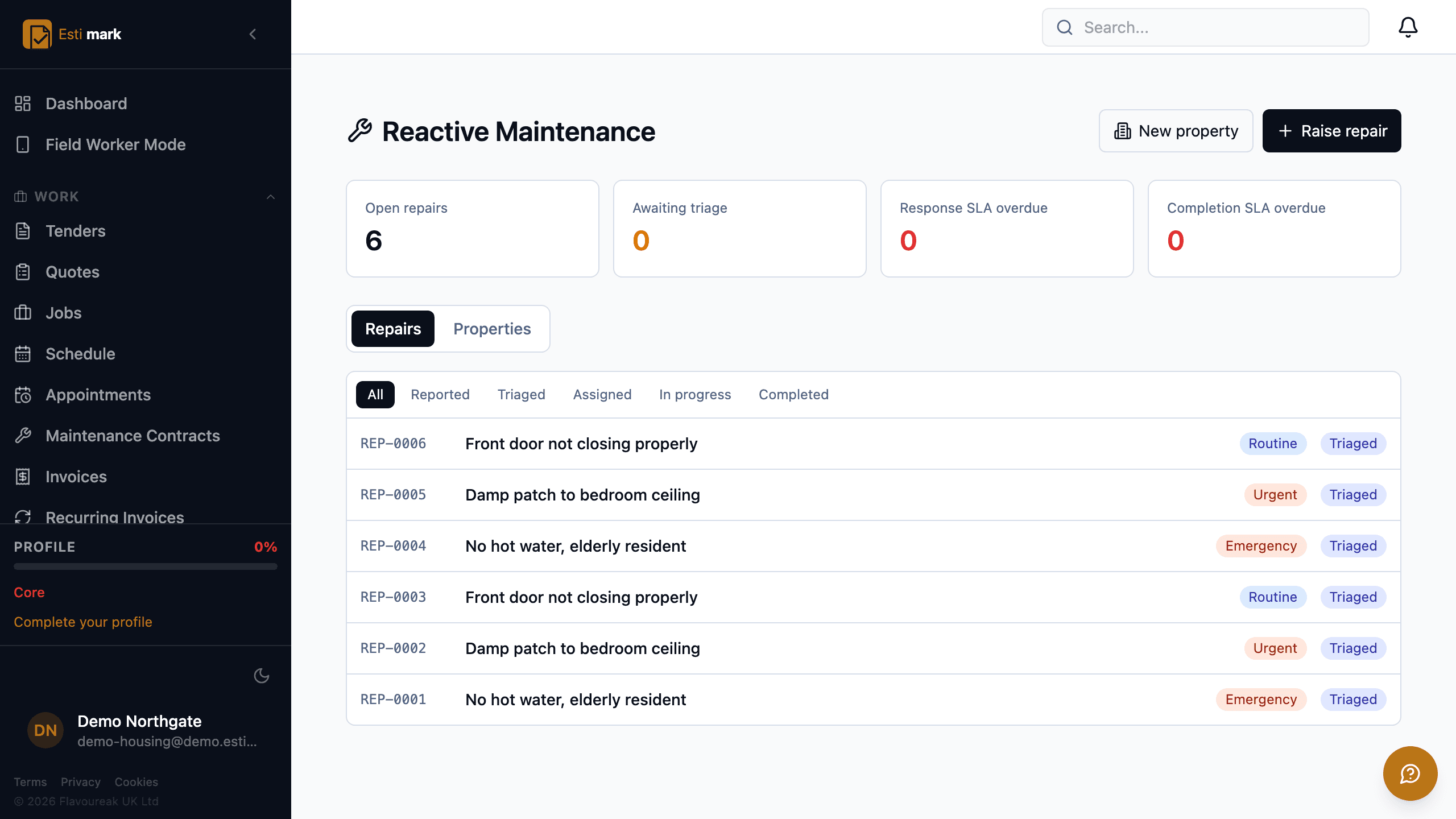
- 15HousingRepairs and the compliance registerHousing repairs software needs a property register underneath the job list, and that is what the four housing bolt-ons add.Read step →
Questions
Before you start clicking
What does Estimark actually do?
Estimark runs a UK contracting business end to end: tenders and estimating, quotes a client accepts online, a job board and a resource schedule, site diaries and timesheets from a phone, RAMS and statutory inspection records, applications for payment and retention, CIS and the VAT domestic reverse charge, and job costing against the figure you quoted.
Is Estimark built for UK contractors specifically?
Yes. The parts general accounting software gets wrong are the UK-specific ones: CIS deducted on labour only, tax months running from the 6th to the 5th, applications for payment with the notice dates the Construction Act sets, retention, and the VAT domestic reverse charge.
Does Estimark make my business compliant?
No. Estimark records evidence, dates and names, and it tells you what is overdue. It does not certify anybody as compliant and it does not sign anything off on your behalf. The duties stay with the duty holders.
Build on a solid foundation.
Run the whole business without an implementation project and without legacy baggage. Every plan starts with 14 days free.
Estimating · Jobs · Invoicing · CIS · H&S · Reactive maintenance