Step 13 of 15 · Control
See where the money went
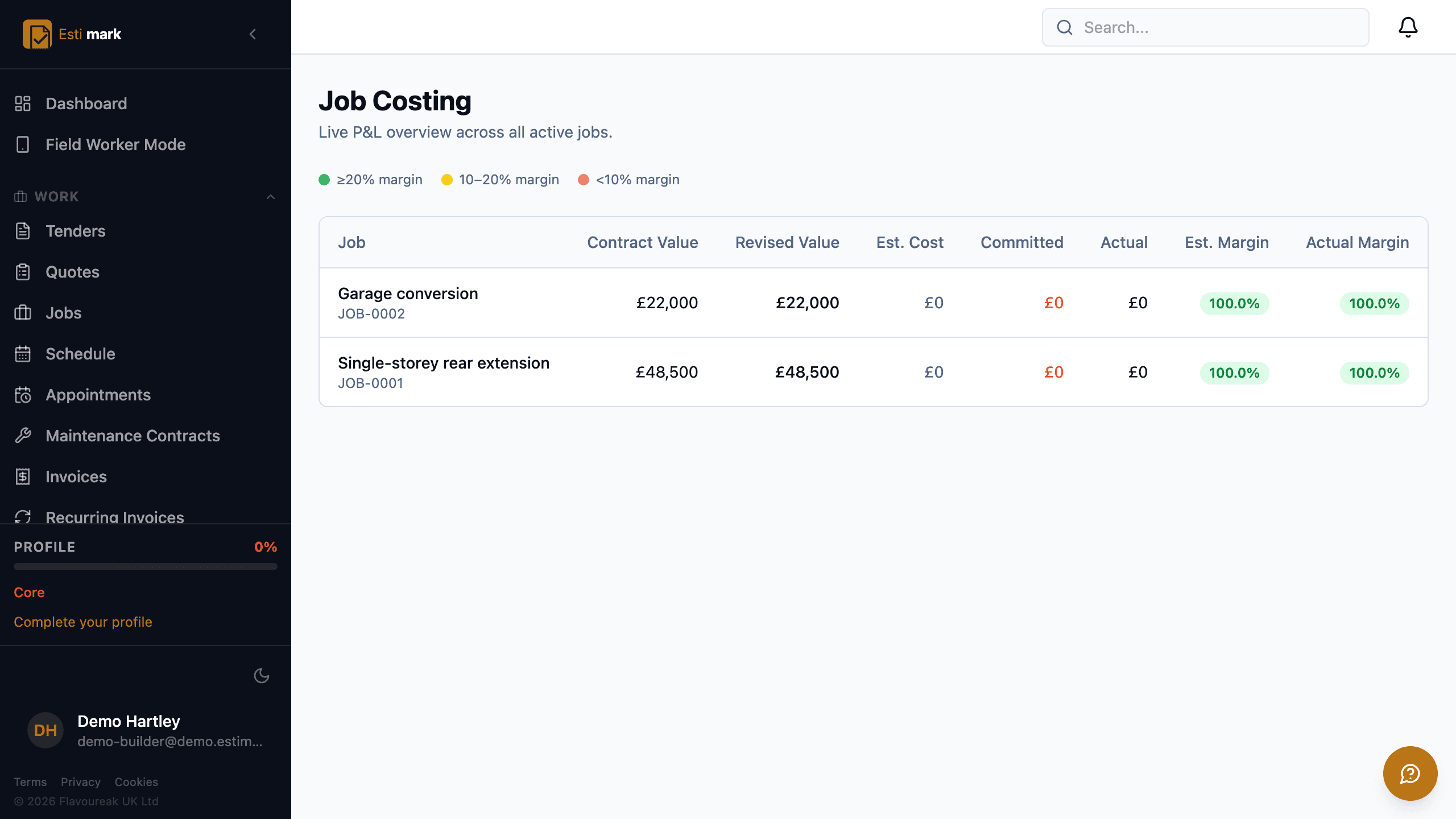
Job costing software answers one question, and Estimark puts the answer on a single row per job: contract value, revised value, estimated cost, committed, actual, estimated margin and actual margin. Margins are banded by colour, green at 20% or better, amber between 10% and 20%, red below 10%, so a job going wrong shows while there is still time to do something. Committed cost lands the moment a purchase order is placed rather than when the supplier invoice arrives. The dashboard carries the same figures up: revenue, pipeline, overdue invoices and labour utilisation.
- 01
What does the job costing screen show?
One row per active job, and seven columns that between them say whether it is making money: contract value, revised value after approved variations, estimated cost, committed, actual, estimated margin and actual margin. The colour band on the margin is the part people read first. Green is 20% or better, amber is 10% to 20%, red is under 10%.
- 02
How does committed cost get in there?
From purchase orders. A PO is raised against a job and a cost code, approved inside the authorisation limit for the person’s role, and sent to the supplier. Committed, received and outstanding are totalled across the top of the list, and each order moves through draft, sent, partially received, received or cancelled. Cost counts from the order rather than from the invoice, so the forecast knows about money you have spent but not yet been billed for.
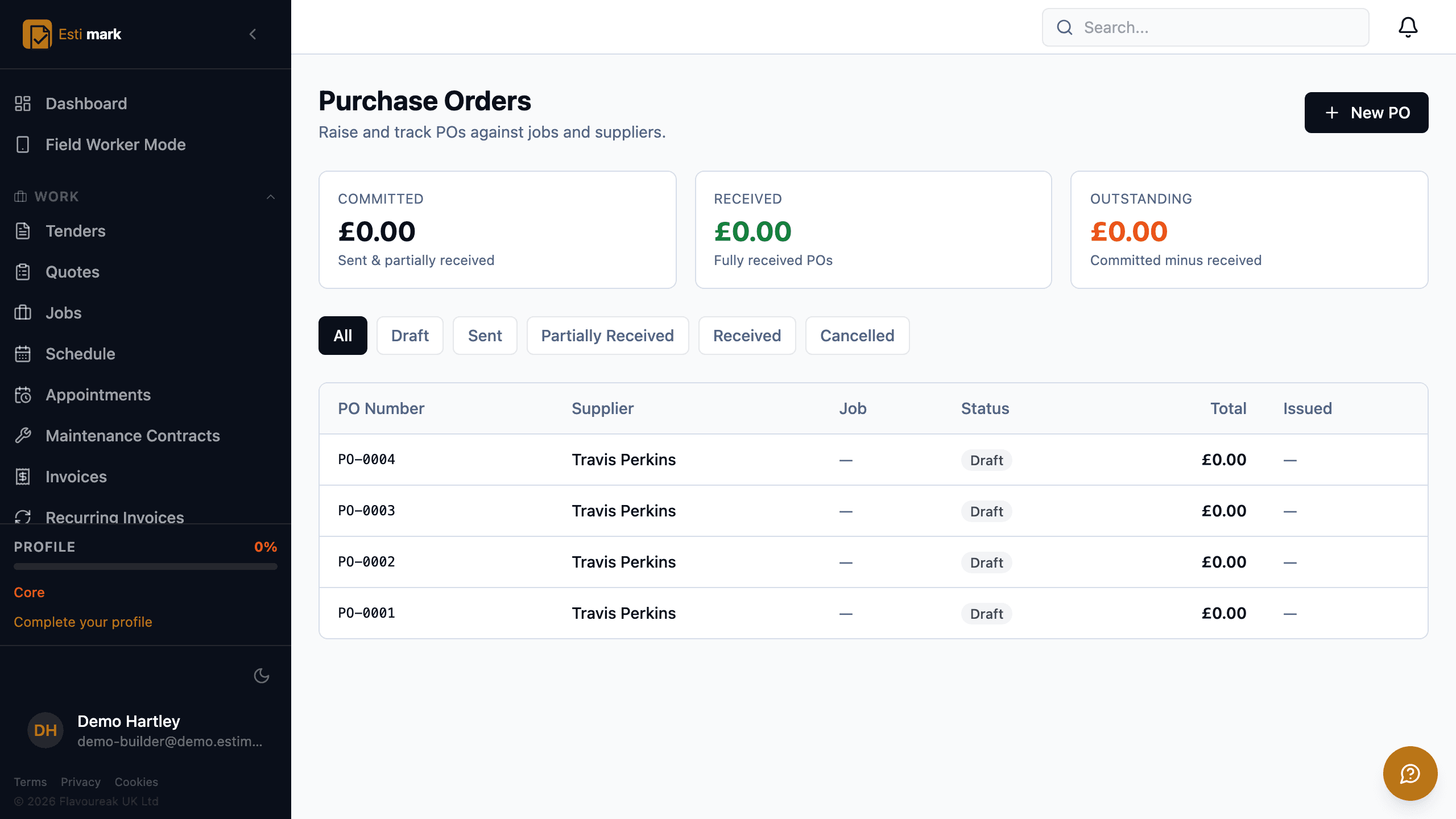
The purchase order list, with committed, received and outstanding totals across the top and each order’s supplier and stage below. - 03
What does the office see first thing in the morning?
Revenue this month and this year, pipeline value, overdue invoices, labour utilisation and team size across the top. Under that, top jobs by margin, a map of where the work is, and a live feed of what has happened in the system: jobs created, statuses changed, hours booked. It is the same data as the reports, arranged for a two-minute read.
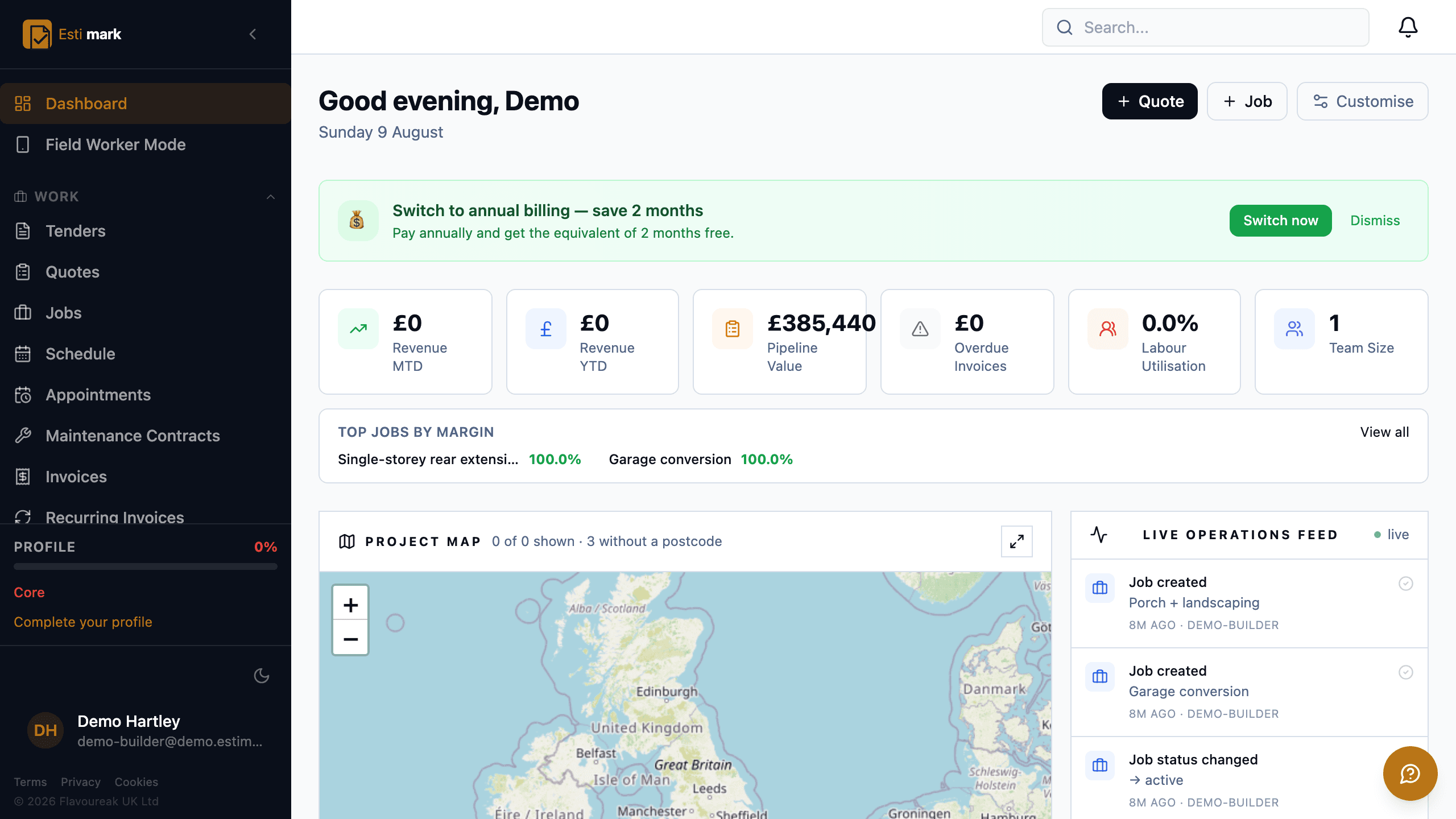
The dashboard, with revenue, pipeline value, overdue invoices and labour utilisation tiles above a project map and a live operations feed. - 04
Do the reports reconcile with what site entered?
They read the same records. Job profitability, labour utilisation, outstanding debt and pipeline all come from the hours, orders, applications and invoices already in the system, so two reports on the same question agree and nobody spends Friday reconciling them.
- Baseline
- The accepted quote, frozen, per job
- Committed
- Counts from the purchase order, not the invoice
- Margin bands
- Green 20% and over, amber 10% to 20%, red under 10%
Questions
Control, frequently asked
Does the budget move when the estimate changes?
No. The accepted figure is frozen as a baseline and stays there. An approved variation shows as revised value next to it, so the variance against what you originally priced is still readable months later.
When does a purchase order hit the cost figures?
When it is placed. Cost counts from the order rather than from the invoice, so the forecast knows about money you have spent but not yet been billed for.
Client portal software works best when nobody has to create an account, so everything Estimark puts in front of a client or a resident opens from a link.
Build on a solid foundation.
Run the whole business without an implementation project and without legacy baggage. Every plan starts with 14 days free.
Estimating · Jobs · Invoicing · CIS · H&S · Reactive maintenance