Project
£15/mo · included from CorePurchase orders with real delegated authority
Numbered POs against a job and a supplier or subcontractor, routed for approval against limits you set per role. Deliveries get received line by line. Where the order is a subcontractor payment, it holds the CIS rate and the deduction. Every authorisation gets written to an event log nobody can edit afterwards, which is the bit an auditor cares about. Included from Core up.
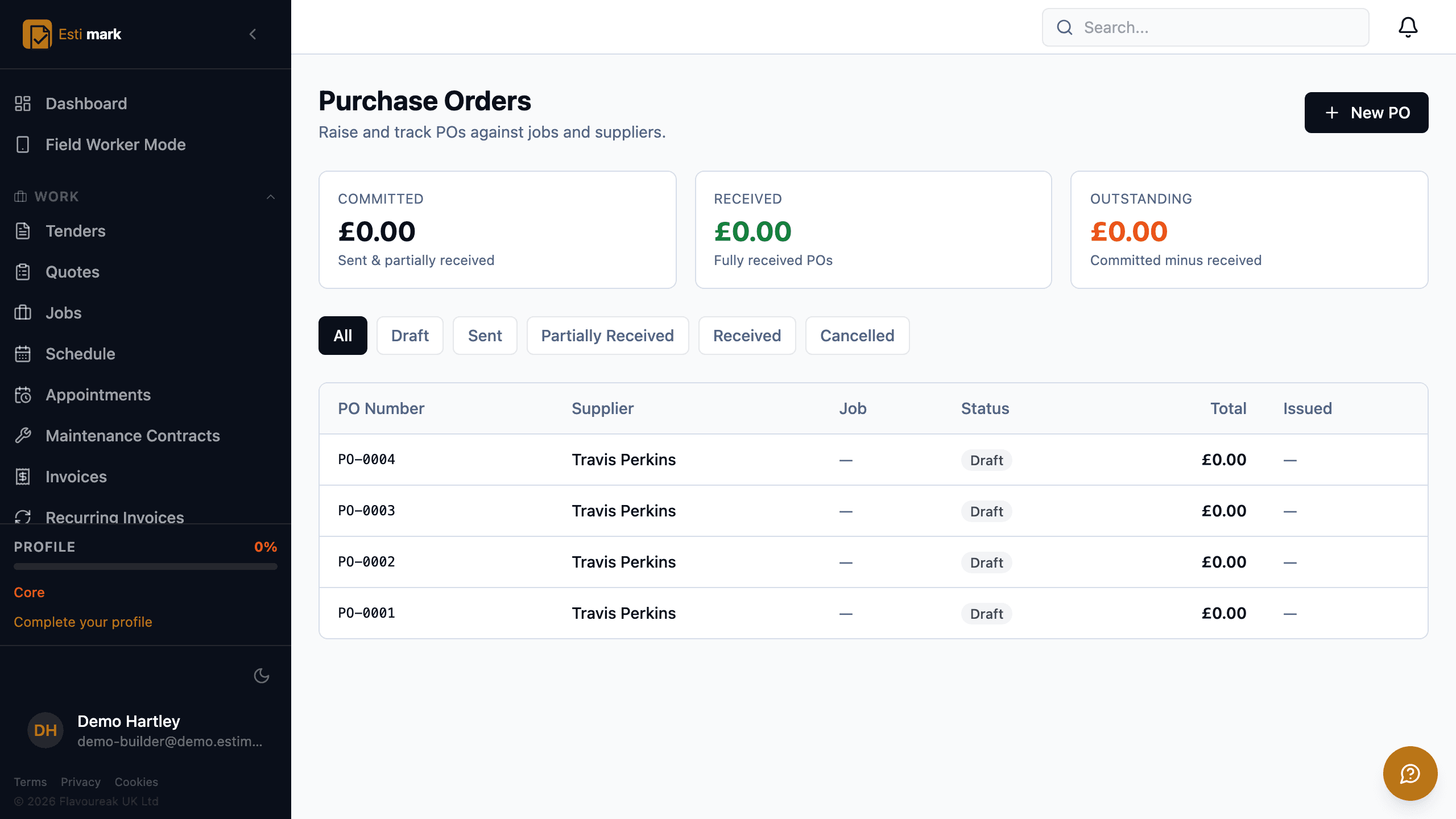
What the Purchase Orders module does
- Numbers each PO and attaches it to a job, a supplier and, where it applies, a subcontractor.
- Prices lines with description, quantity, unit, unit price, total and category, and records quantity received and a received timestamp per line.
- Runs through eight statuses including pending approval, approved, rejected, sent, partially received and received.
- Two separate limits per role: how much that role can commit on its own signature, and how much it can authorise on somebody else’s.
- Either limit can be overridden for one person, so the site manager you trust with a big order gets it without everybody on their role getting it too.
- Ships with conservative defaults and lets you replace them: a field worker can commit £500, an office member £1,000, a manager £10,000 and an admin £25,000, and only an owner is unlimited out of the box.
- Judges the order on its VAT-inclusive total, which is the number that actually leaves the bank.
- Writes an approval event for every action that nobody can go back and change: who, what role, the order total, the limit applied, and a note.
- Flags a PO as a CIS payment and holds the deduction rate and amount on the order.
- Carries Xero and QuickBooks bill references, so a pushed bill can be traced back.
Purchase Orders: how it works
How do purchase order approval limits work?
Two powers per role, because they aren’t the same thing. A raise limit is what somebody can commit on their own signature. An approve limit is what they can sign off for somebody else. Go over your raise limit and the order can’t be issued until somebody with the authority approves it.
| Role | Raise on own signature | Approve for someone else |
|---|---|---|
| Owner | Unlimited | Unlimited |
| Admin | £25,000 | Unlimited |
| Manager | £10,000 | £25,000 |
| Office member | £1,000 | None |
| Field worker | £500 | None |
| Viewer | None | None |
- Those are the starting figures. Set your own per role, and override either one for a single person.
- Left blank on a role, the limit is unlimited. Left blank on a person, they keep whatever their role allows.
- The test runs on the VAT-inclusive total of the order.
- A PO carries its own approval-required flag and threshold.
- Submission, approval and rejection each record a user, a timestamp and, on rejection, a reason.
NoteThe defaults are pitched low on purpose. A limit set too low costs somebody an approval request; one set too high costs money.
Why keep a separate approval event log?
Because the order only tells you where it ended up. When somebody asks who released a £500,000 order, and under what limit, the current status is no help at all. Each authorisation is written as its own record, unchangeable, carrying the person, their role, the order total at that moment and the limit applied.
How are deliveries received?
Line by line. Each line holds a received quantity and the time it came in. That’s what turns partial receipt into a real status instead of a note in a comments box. A part-delivered order sits at "partially received" until the rest turns up.
How do purchase orders and CIS interact?
Flag the PO as a CIS payment and it carries the deduction rate and the amount. With the CIS module on, that deduction feeds the monthly return, so the commitment and the tax treatment sit on one record instead of two.
Purchase Orders: at a glance
- Plan
- Included from Core
- Add-on price
- £15/month
- Statuses
- 8
- Authority
- Raise + approve limits
Purchase Orders
£15per month
Purchase Orders is a bundled module. Plans are a ladder, so it comes with Core and with Pro, Enterprise. On a lower plan you can switch it on by itself for £15 a month.
Included from Core, £129 a month
- Included on Core and above at no extra cost.
- £15 per month as an individual module on a lower plan.
- Included in full during the 14-day free trial.
- No implementation fee and no minimum term.
Questions
Purchase Orders: frequently asked
Which plan includes purchase orders?
It’s included from Core up. On a lower plan it’s £15 a month on its own. Deliveries come with it either way.
Can I stop someone raising a PO above a certain value?
Yes. Set a raise limit and a separate approve limit against the role, then override either of them for one person if that individual needs a different ceiling. Out of the box a field worker can commit £500 and a manager £10,000. Every approval action goes into an event log that can’t be edited, along with the limit that applied at the time.
Do purchase orders push to Xero or QuickBooks?
A PO holds bill reference fields for Xero, QuickBooks and so a pushed bill can be traced back to the order it came from. Estimark doesn’t post journals to any accounting package.
Related
Supplier Management
Approved supplier lists, terms, ratings and spend.
Job Costing
Committed cost against the budget from open orders.
CIS Compliance
The deduction on a subcontractor order.
For builders & contractors
Pro at £299/month. Payment applications, HR, training, plant and fleet.
Roles & permissions
Your own roles from 217 capabilities, with per-person spend limits on orders.
Job costing & CVR
Actual, committed and forecast cost per job, with a cost value reconciliation pack.
CIS compliance
Labour-only deduction, 6th-to-5th tax months, HMRC verification, CIS300 recorded.
Pricing & plans
Solo £39, Core £129 and Pro £299 a month plus seats. Enterprise is quoted. Bolt-ons are priced separately.
Try it on a real job.
14 days, full access, every plan. No implementation fee.