Step 3 of 15 · Delivery
Run the job
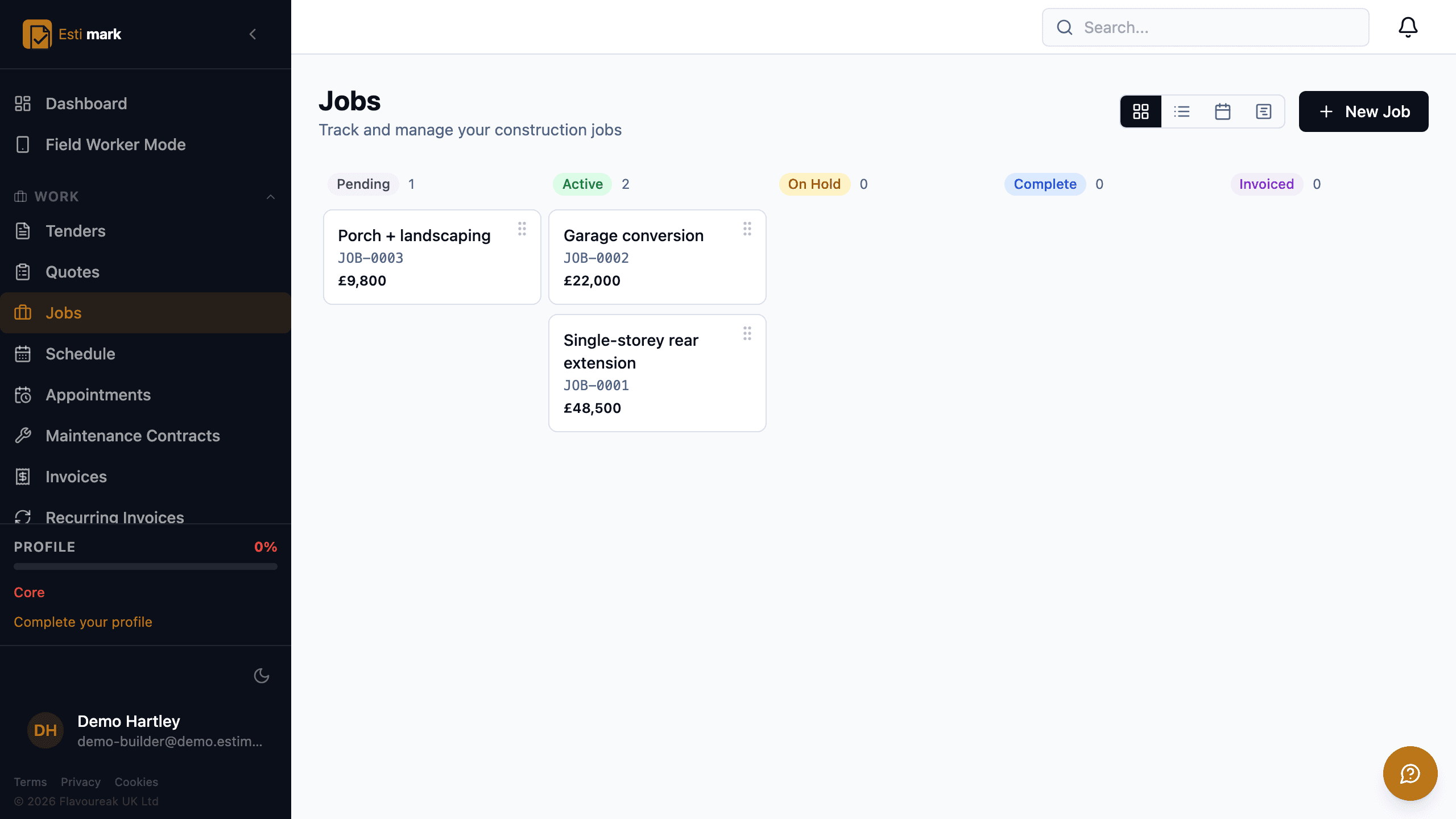
Job management software for builders earns its keep on one screen, the board that answers "what is happening this week" without a phone call. Estimark shows every live job by stage, from pending through active, on hold, complete and invoiced, with the job number and value on each card. The same jobs render as a list, a calendar or a table. Labour is scheduled a week at a time from a strip of unassigned jobs, and extra work is raised as a numbered variation so it reaches the final account rather than somebody’s memory.
- 01
What does the job board show?
Every live job, grouped by stage, with a count on each column so you can see the shape of the week at a glance. Cards carry the job number and the value, and you drag one across when its stage changes. A supervisor can see what is starting, what is stuck and what is ready to invoice without asking anybody.
- 02
How do you plan next week’s labour?
On the resource schedule, a week at a time, with your team down the side and the days across the top. Jobs nobody is on yet sit in an unassigned strip above the grid, and you drag one onto a person and a day. Clashes and empty days show up on Thursday instead of at seven o’clock on Monday morning.
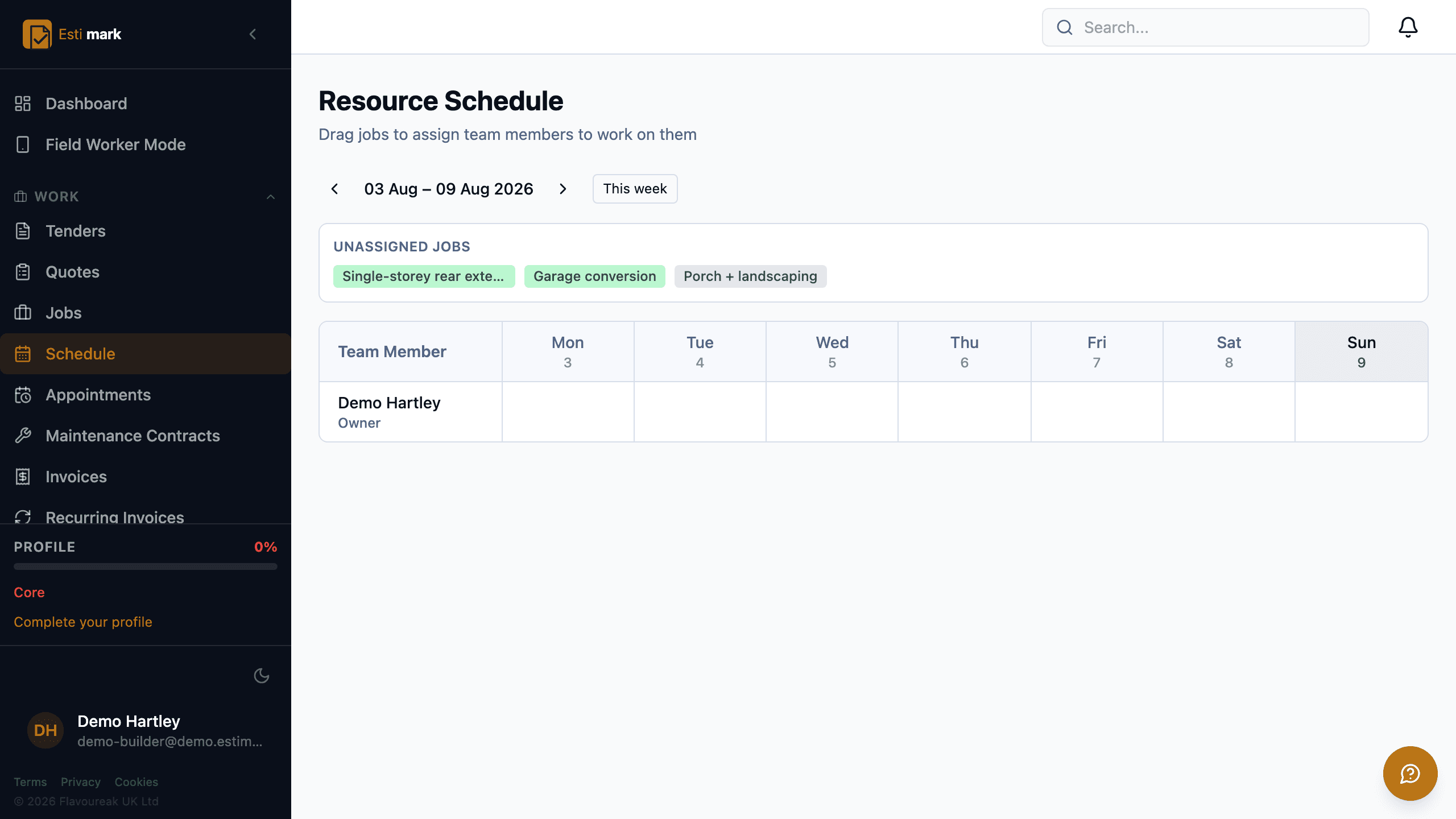
The resource schedule for one week, with team members down the side, days across the top and unassigned jobs in a strip ready to drag onto the grid. - 03
How do you stop extra work being forgotten?
By raising it as a variation the day it comes up. Each one gets a number, a title, a price and a stage: draft, submitted, approved or rejected, with the dates it was submitted and approved. An approved variation lifts the revised value the job is measured against, and the original baseline stays next to it.
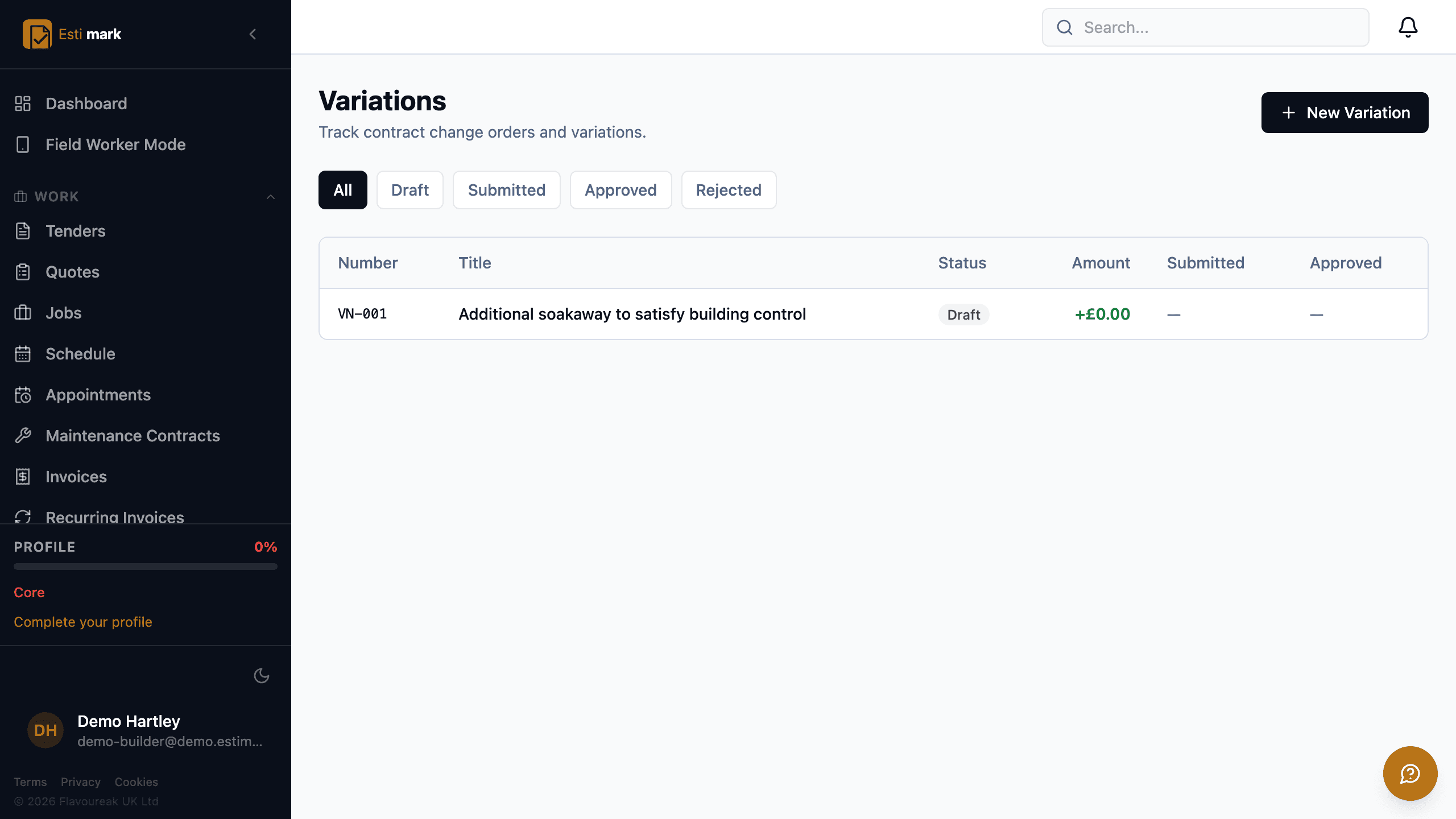
The variations register, listing each change with its number, title, amount and approval stage. - 04
Does it handle contract work as well as one-off jobs?
Yes. Maintenance contracts cover planned, repeating work, recurring invoices bill it on a cycle, and appointments handle a booked visit at a stated time. A reactive repairs contract has its own step later in this tour, because it needs a property register underneath the job list.
- Board
- Five stages, drag between them, value on the card
- Views
- Board, list, calendar and table of the same jobs
- Variations
- Numbered, priced, approved, carried to the account
Questions
Delivery, frequently asked
Can I see jobs on a calendar rather than a board?
Yes. The same jobs render as a board, a list, a calendar or a table, and you pick the one that suits what you’re doing.
Does an approved variation change the job budget?
An approved variation lifts the revised value the job is measured against, and the original baseline stays visible next to it, so the variance against what you priced is still readable months later.
Subcontractor management software has to answer two questions off the same record, who is allowed on site and what they quoted, so Estimark keeps an approved list of trades beside a numbered enquiry.
Build on a solid foundation.
Run the whole business without an implementation project and without legacy baggage. Every plan starts with 14 days free.
Estimating · Jobs · Invoicing · CIS · H&S · Reactive maintenance